Diamond Orbs can be powered in two ways: with a battery or with a power adapter. Your Orb includes everything you need to get started, and below you’ll find clear steps for using each one.
Using the Battery
Here’s what the Diamond Orb battery looks like. Here’s everything you need to know to get it ready and insert it safely.
Before You Start
For best results, charge the battery for at least 4 hours before your first use.
A standard 65W laptop charger (like a MacBook charger) works well for charging.
How to Insert the Battery
Align the flat edge of the battery with the rear compartment.
Slide it in gently until you hear a click.
Confirm the battery is firmly seated.
Using the Power Adapter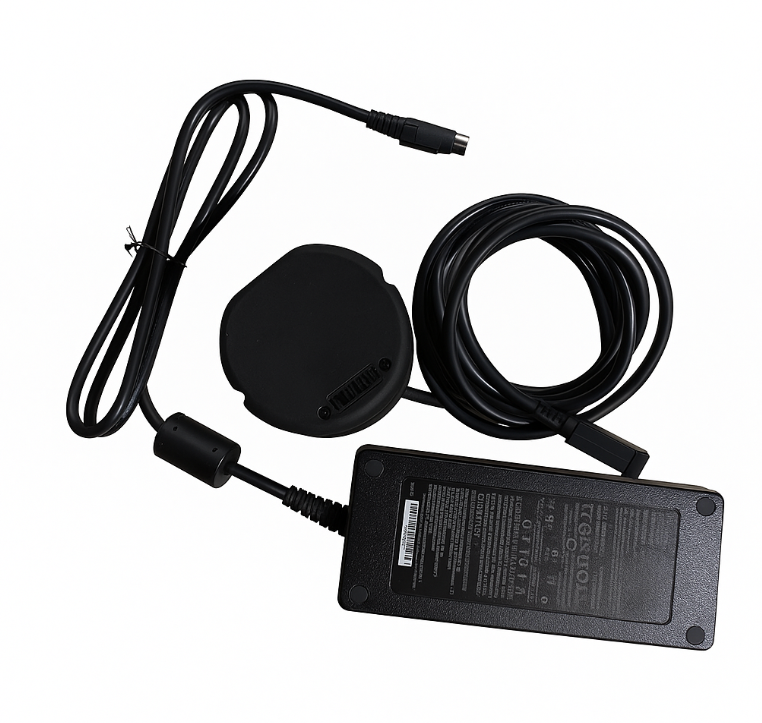
Some Diamond Orbs come with a power adapter instead of a battery.
To use it:
Connect the adapter to the Orb.
Plug it into a wall outlet.
The Orb will operate exactly the same way as it does with a battery.
Check Your Battery Level
Each Diamond Orb battery includes four LEDs (Power indicators), and each one represents approximately 25% of the battery’s charge.
| LED Display | Charge Level |
|---|---|
| ⚪⚫⚫⚫ (Flashing × 8) | 0 % |
| ⚪⚫⚫⚫ | 1 – 25 % |
| ⚪⚪⚫⚫ | 25 – 50 % |
| ⚪⚪⚪⚫ | 50 – 75 % |
| ⚪⚪⚪⚪ | 75 – 100 % |
To check the charge level while the battery is unplugged, press the small button on the back of the battery.
Note:If the first LED blinks 8 times, the battery is fully depleted and must be recharged. When an empty battery is inserted into the Orb, the Power button will flash red three times and the Orb will automatically shut down.
Turning the Orb On and Off
Power On
Insert the battery or connect the power adapter.
Press the Power button at the bottom of the Orb for 3 seconds.
The button will pulse white, indicating the Orb is starting up.
Power Off
Press the Power button for 3 seconds.
The button light will turn off.
If the internal ring light remains yellow, wait until it turns off, and the Orb cools down before removing the battery.
Quick Fixes (If Something Isn’t Working)
The Orb won’t turn on
-
Using a power adapter:
Make sure it’s firmly plugged in on both ends.
-
Using battery:
Check that the battery is charged.
Ensure it clicked fully into place.
If the metal connector blades look damaged, contact Support.
The Orb shuts down repeatedly
If using the power adapter, check for damage to the cord.
-
If using the battery, recharge it—a low battery is the most common cause.
Translations may differ slightly from the original English content. For the most accurate information, please refer to the article's English version if any discrepancies occur.